
Java JsonGenerator - API di elaborazione JSON e come abilitare l'output JSON Pretty Print (Gson + Jackson)
Pubblicato: 2014-11-22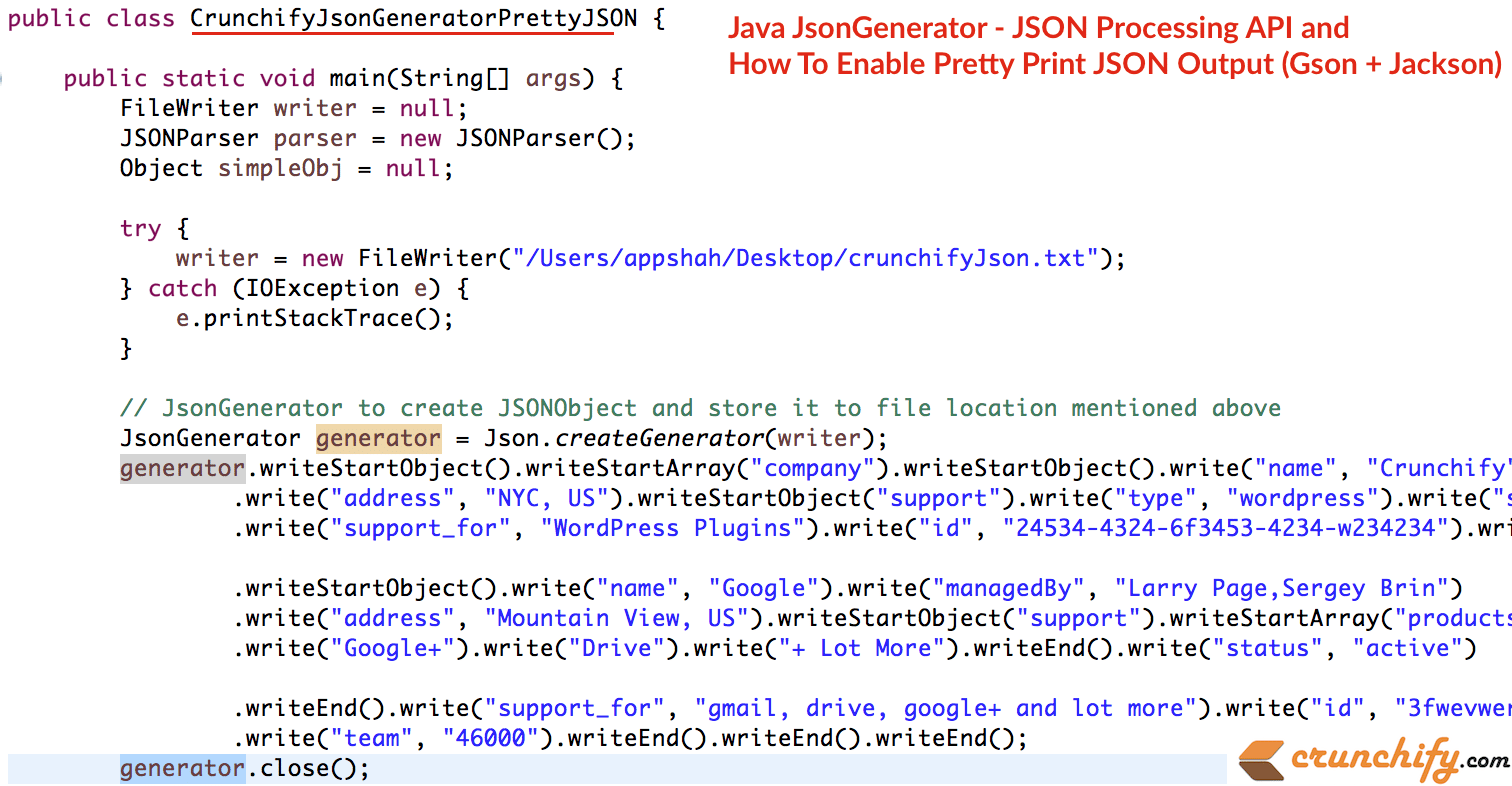
Questo sarà un tutorial molto interessante. A volte nella tua applicazione Enterprise Java, devi gestire molti dati JSON. A volte hai Scrivi su file, Leggi da file, registralo correttamente in un bel formato Pretty, ecc.
Ti sei mai chiesto di Pretty-Print JSON in Java? In questo tutorial utilizzeremo il pacchetto javax.json e l'API JsonGenerator per scrivere JSONObject su file. Inoltre useremo com.google.gson.Gson per abbellire l'output JSON.
Questi sono i passaggi che andremo ad eseguire:
- Crea classe
CrunchifyJsonGeneratorPrettyJSON.java - Usa JsonGenerator per creare JSONObject in Java e archiviarlo nella posizione /Users/appshah/Desktop/crunchifyJson.txt
- Leggi lo stesso JSON dal file
- Stampa il semplice JSON sulla console Eclipse
- Usa l'utilità
crunchifyPrettyJSONUtility()per convertire semplici JSON in PrettyJSON – Converti stringa JSON in Pretty Print (Java, Gson) - Stampa lo stesso PrettyJSON su console
|
1 2 3 4 5 6 7 8 9 10 11 12 13 14 15 16 17 18 19 20 21 22 23 24 25 26 27 28 29 30 31 32 33 34 35 36 37 38 39 40 41 42 43 44 45 46 47 48 49 50 51 52 53 54 55 56 57 58 59 60 61 62 63 64 65 66 67 68 69 70 71 72 73 74 75 76 77 78 79 80 81 82 83 84 85 86 87 88 89 90 91 92 93 94 95 96 97 98 99 100 101 |
package crunchify . com . tutorials ; import java . io . FileNotFoundException ; import java . io . FileReader ; import java . io . FileWriter ; import java . io . IOException ; import javax . json . Json ; import javax . json . stream . JsonGenerator ; import org . json . simple . parser . JSONParser ; import org . json . simple . parser . ParseException ; import com . google . gson . Gson ; import com . google . gson . GsonBuilder ; import com . google . gson . JsonObject ; import com . google . gson . JsonParser ; /** * @author Crunchify.com * JsonGenerator and Pretty */ public class CrunchifyJsonGeneratorPrettyJSON { public static void main ( String [ ] args ) { FileWriter writer = null ; JSONParser parser = new JSONParser ( ) ; Object simpleObj = null ; try { writer = new FileWriter ( "/Users/appshah/Desktop/crunchifyJson.txt" ) ; // Modify path as per your need } catch ( IOException e ) { e . printStackTrace ( ) ; } // JsonGenerator to create JSONObject and store it to file location mentioned above JsonGenerator generator = Json . createGenerator ( writer ) ; generator . writeStartObject ( ) . writeStartArray ( "company" ) . writeStartObject ( ) . write ( "name" , "Crunchify" ) . write ( "managedBy" , "App Shah" ) . write ( "address" , "NYC, US" ) . writeStartObject ( "support" ) . write ( "type" , "wordpress" ) . write ( "status" , "active" ) . writeEnd ( ) . write ( "support_for" , "WordPress Plugins" ) . write ( "id" , "24534-4324-6f3453-4234-w234234" ) . write ( "team" , "3" ) . writeEnd ( ) . writeStartObject ( ) . write ( "name" , "Google" ) . write ( "managedBy" , "Larry Page,Sergey Brin" ) . write ( "address" , "Mountain View, US" ) . writeStartObject ( "support" ) . writeStartArray ( "products" ) . write ( "Gmail" ) . write ( "YouTube" ) . write ( "Drive" ) . write ( "+ Lot More" ) . writeEnd ( ) . write ( "status" , "active" ) . writeEnd ( ) . write ( "support_for" , "gmail, drive, YouTube and lot more" ) . write ( "id" , "3fwevwere-vwerfwevw-erw-vwe-efwfw" ) . write ( "team" , "46000" ) . writeEnd ( ) . writeEnd ( ) . writeEnd ( ) ; generator . close ( ) ; try { simpleObj = parser . parse ( new FileReader ( "/Users/appshah/Desktop/crunchifyJson.txt" ) ) ; } catch ( FileNotFoundException e ) { e . printStackTrace ( ) ; } catch ( IOException e ) { e . printStackTrace ( ) ; } catch ( ParseException e ) { e . printStackTrace ( ) ; } System . out . println ( "Simple JSON Result:\n" + simpleObj . toString ( ) ) ; String prettyJson = crunchifyPrettyJSONUtility ( simpleObj . toString ( ) ) ; System . out . println ( "\nPretty JSON Result:\n" + prettyJson ) ; } // Prettify JSON Utility public static String crunchifyPrettyJSONUtility ( String simpleJSON ) { JsonParser crunhifyParser = new JsonParser ( ) ; JsonObject json = crunhifyParser . parse ( simpleJSON ) . getAsJsonObject ( ) ; Gson prettyGson = new GsonBuilder ( ) . setPrettyPrinting ( ) . create ( ) ; String prettyJson = prettyGson . toJson ( json ) ; return prettyJson ; } } |
L'interfaccia JsonGenerator scrive i dati JSON in un'origine di output in modalità streaming. La classe Json contiene metodi per creare generatori di caratteri o flussi di output.

Gson è una libreria Java che può essere utilizzata per convertire oggetti Java nella loro rappresentazione JSON. Può anche essere utilizzato per convertire una stringa JSON in un oggetto Java equivalente. In altre parole, è java api per il tutorial sull'elaborazione di json, java api per l'elaborazione di json maven, java api per l'esempio di elaborazione di json e così via.
Hai bisogno di meno di due dipendenze Maven per farlo funzionare.
|
1 2 3 4 5 |
< dependency > < groupId > org . glassfish < / groupId > < artifactId > javax . json < / artifactId > < version > 1.0.4 < / version > < / dependency > |
|
1 2 3 4 5 |
< dependency > < groupId > com . google . code . gson < / groupId > < artifactId > gson < / artifactId > < version > 2.3 < / version > < / dependency > |
Ecco un risultato:
|
1 2 3 4 5 6 7 8 9 10 11 12 13 14 15 16 17 18 19 20 21 22 23 24 25 26 27 28 29 30 31 32 33 34 35 36 37 |
Simple JSON Result : { "company" : [ { "id" : "24534-4324-6f3453-4234-w234234" , "support" : { "status" : "active" , "type" : "wordpress" } , "address" : "NYC, US" , "name" : "Crunchify" , "managedBy" : "App Shah" , "team" : "3" , "support_for" : "WordPress Plugins" } , { "id" : "3fwevwere-vwerfwevw-erw-vwe-efwfw" , "support" : { "status" : "active" , "products" : [ "Gmail" , "YouTube" , "Drive" , "+ Lot More" ] } , "address" : "Mountain View, US" , "name" : "Google" , "managedBy" : "Larry Page,Sergey Brin" , "team" : "46000" , "support_for" : "gmail, drive, YouTube and lot more" } ] } Pretty JSON Result : { "company" : [ { "id" : "24534-4324-6f3453-4234-w234234" , "support" : { "status" : "active" , "type" : "wordpress" } , "address" : "NYC, US" , "name" : "Crunchify" , "managedBy" : "App Shah" , "team" : "3" , "support_for" : "WordPress Plugins" } , { "id" : "3fwevwere-vwerfwevw-erw-vwe-efwfw" , "support" : { "status" : "active" , "products" : [ "Gmail" , "YouTube" , "Drive" , "+ Lot More" ] } , "address" : "Mountain View, US" , "name" : "Google" , "managedBy" : "Larry Page,Sergey Brin" , "team" : "46000" , "support_for" : "gmail, drive, YouTube and lot more" } ] } |